
✔ worldwide delivery
✔ Refund for lost or damaged packages

✔ We offer a variety of secure payment methods, including debit/credit cards, PayPal, and bank transfers.
✔ Every transaction is protected
✔ 100% Authentic, Official Warranty
✔ Returns within 15 days – quality issues only
-33.svg?w=256&h=256)
✔ 24-hour response
About this product
Specifications
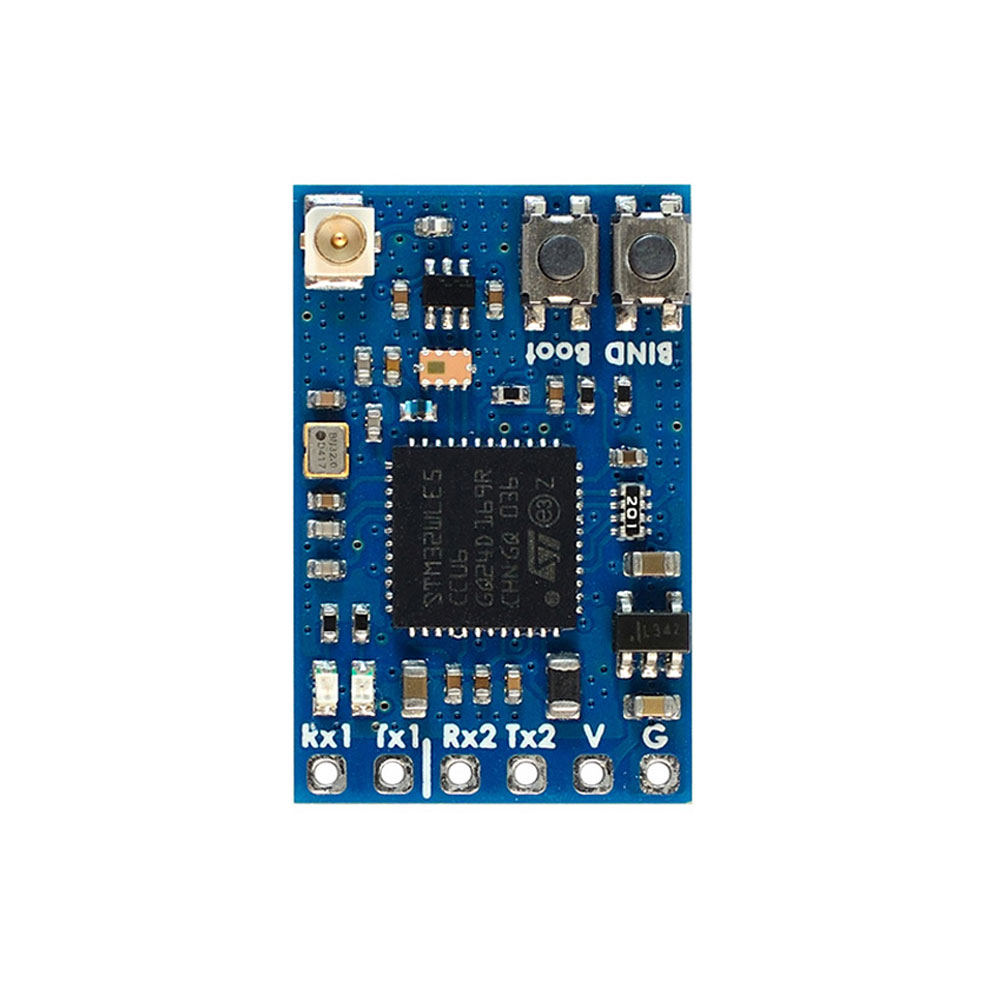
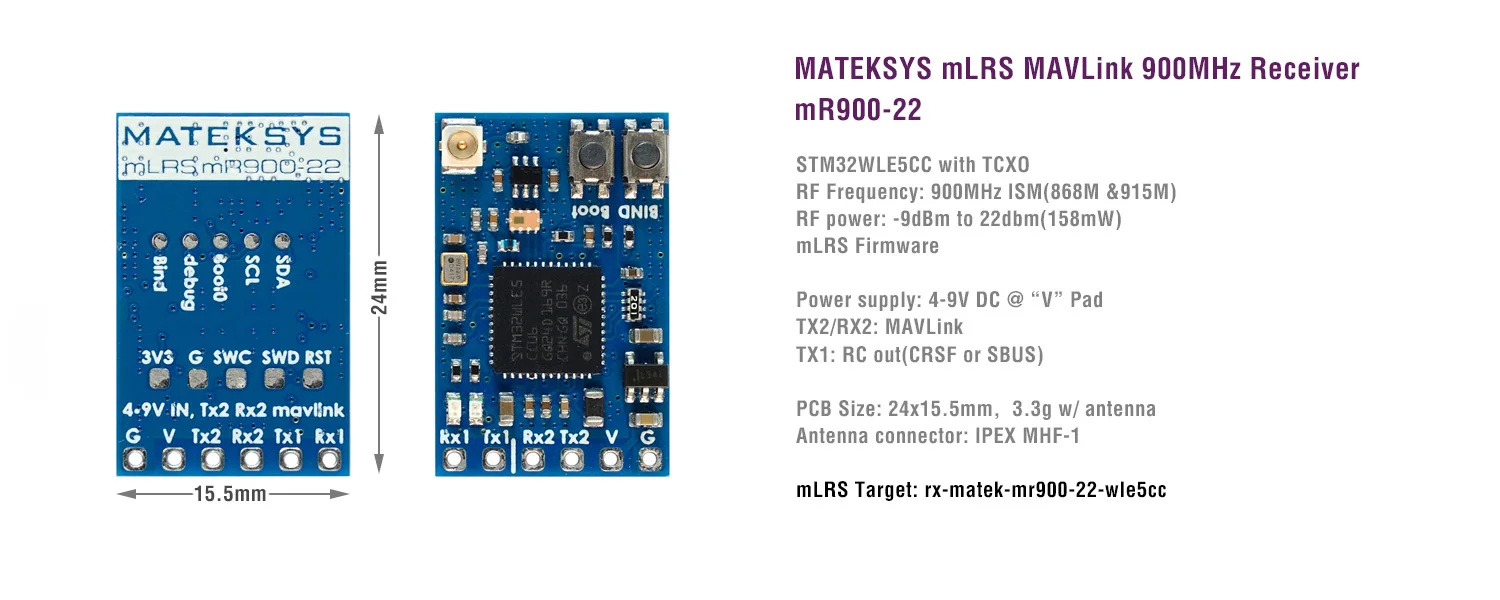
STM32WLE5CC with TCXO, mLRS firmware
RF Frequency: 900MHz (868MHz, 915MHz FCC)
RF power: -9dBm(min) / 0dBm / 10dBm / 20dBm / 22dBm(158mW)
Antenna connector: IPEX MHF-1
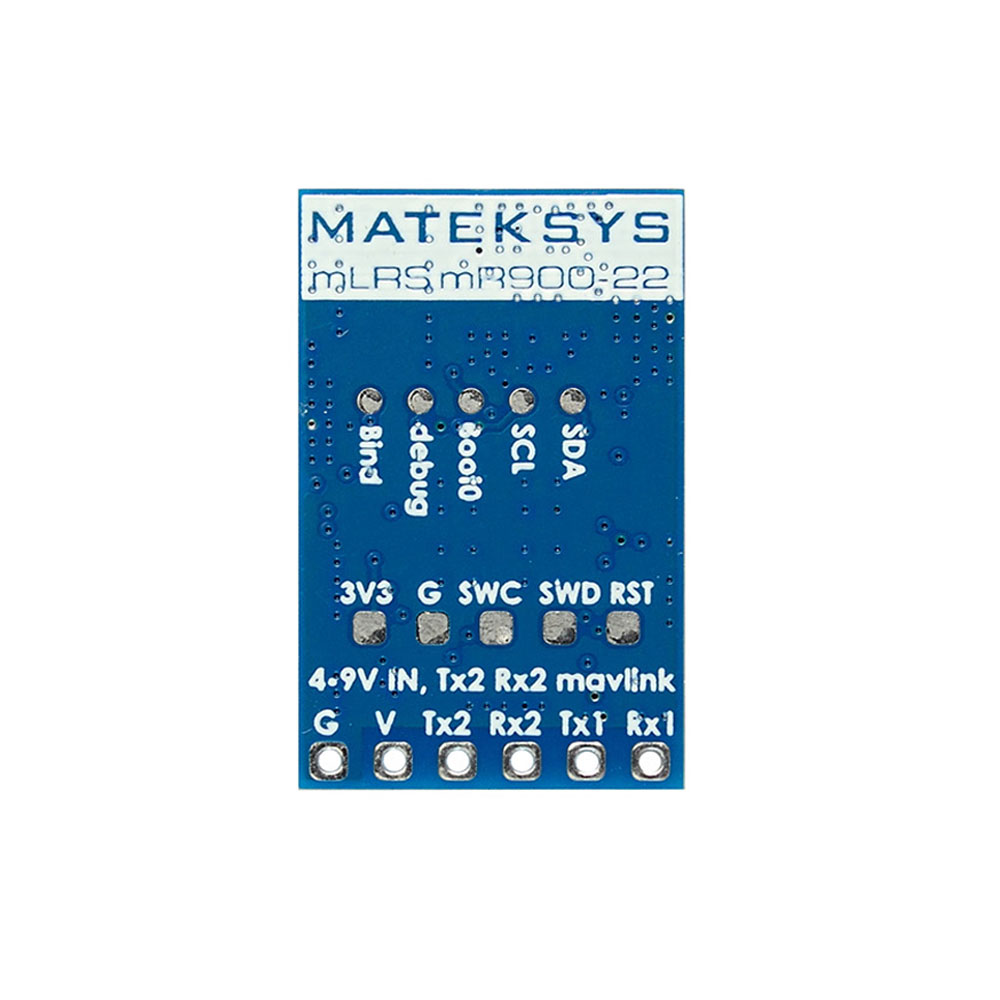
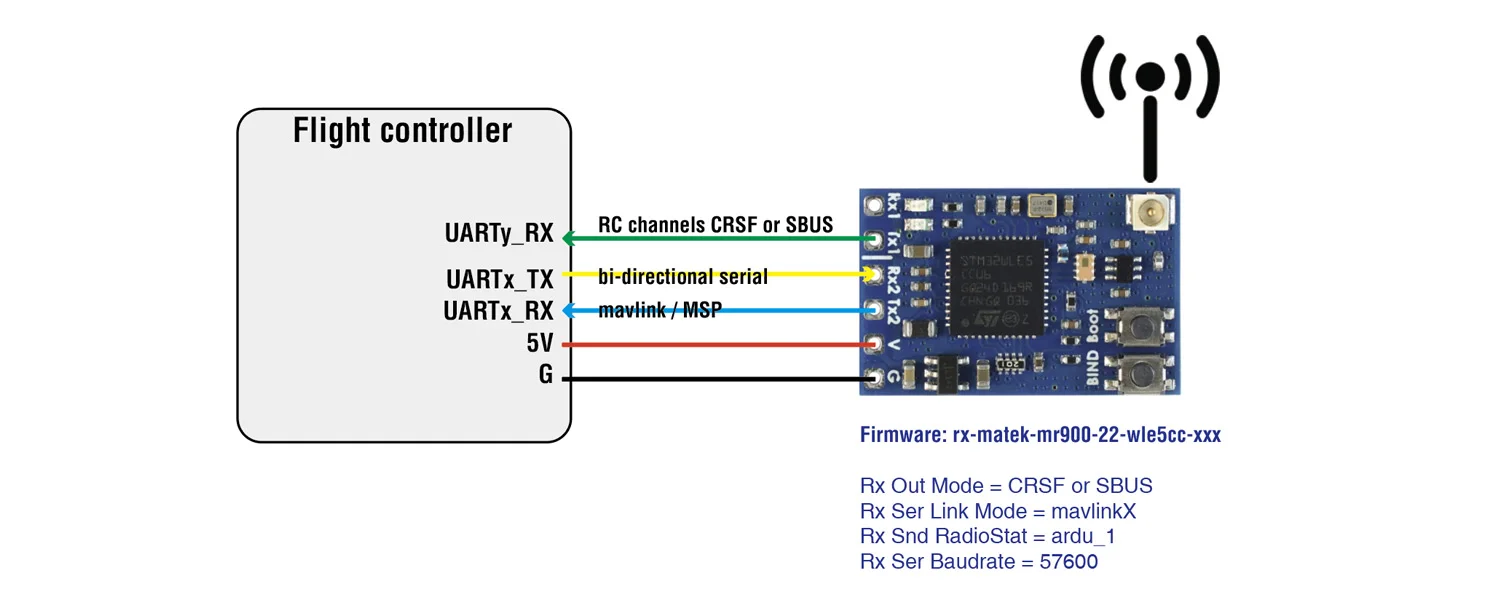
TX2/RX2: Bi-directional Serial MAVLink
TX1: RC out(CRSF or SBUS)
2x buttons for Boot mode and Bind
Power supply: 4-9V DC @ “V” Pad
Power dissipation: 67mA@5V IN(31Hz, 22dbm)
PCB Size: 24 x 15.5 mm
Weight: 2.3g w/ antenna
Packing:
1x mR900-22
1x IPEX MHF1 dipole antenna. 8cm
LED Status
[Red flashing 2Hz], not connected to transmitter
[Green flashing 1Hz], connected to transmitter
[Red and Green alternately ], Binding mode enabled
Binding
After powering on, press the bind button (for ca. 4 seconds) on the receiver. When in bind mode, the green and red LEDs will blink alternatively with ca 2.5 Hz.
https://github.com/olliw42/mLRS-docu/blob/master/docs/BINDING.md
Firmware
mLRS https://github.com/olliw42/mLRS/tree/v1.3/firmware/release-matek
Targets: rx-matek-mr900-22-wle5cc-xxx
Tips
If set RF power >=500mW, It is recommended to attach the heatsink to the bottom side of PCB. The gaps between fins can be used for mounting with M3 screws
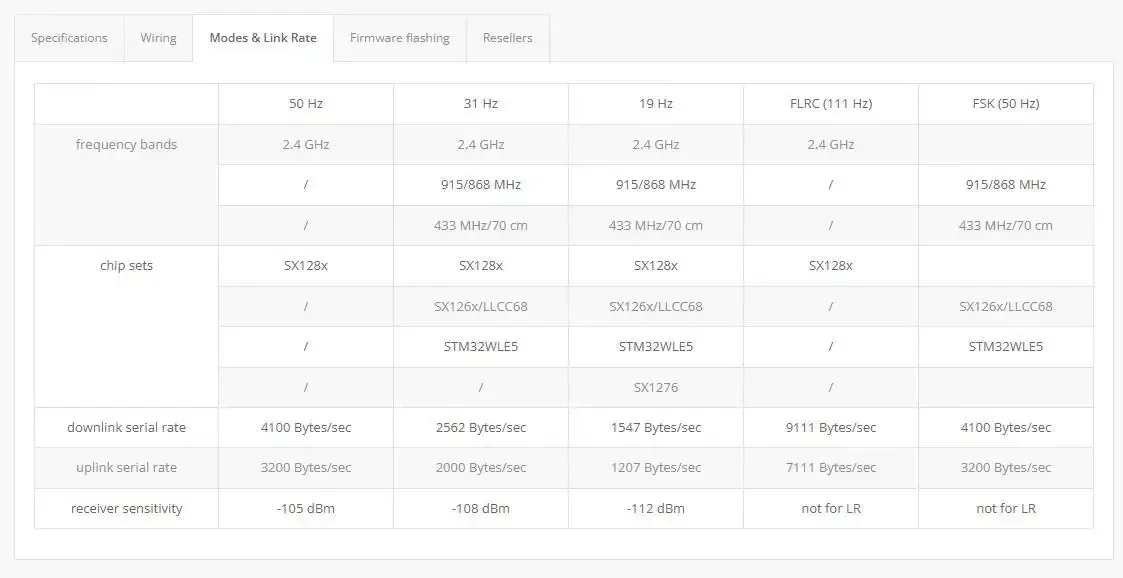
mR900-22 is NOT compatible with ELRS 900MHz / Frsky R9 series using the SX127x. They will not bind with each other.
Warning
MATEKSYS mLRS 900MHz series using SX126x/STM32WLE5 LoRa chip are NOT compatible with ELRS 900MHz / Frsky R9 series using the SX127x. They will not bind with each other.
LoRa chip SX126x(e.g. mR900-30, E22) and STM32WLE5xx(e.g. mR900-22, WIO-E5, E77) are compatible with each other.
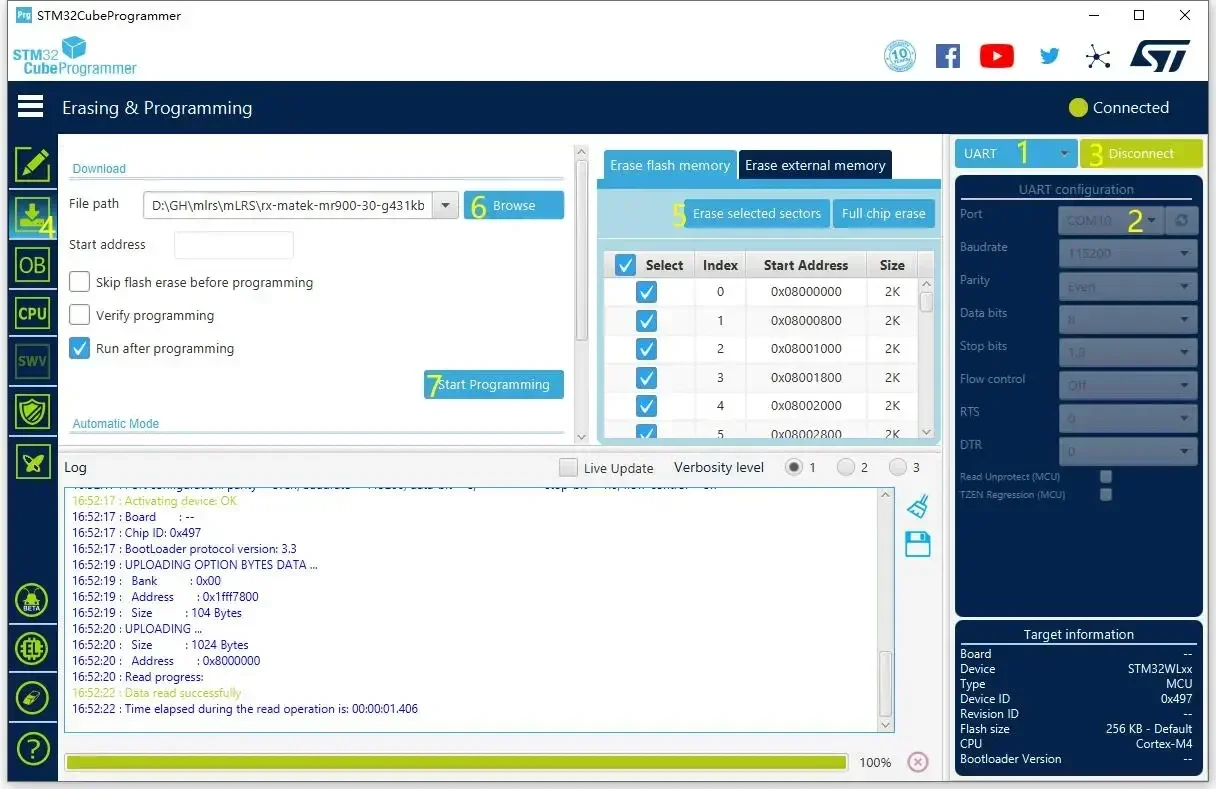
Download STM32CubeProgrammer from ST website
mLRS firmware:
------------------------------------
Connect the mR900-22 to USB-TTL module (e.g.CP210x, FTDI)
Connect USB-TTL module to computer while holding the receiver boot button in.
加载中